
We are a one stop solution for all your printing requirements. We specialize in compatible toners and cartridges, as well as providing printer management solutions.


An accounts team printing invoices and a sales team preparing presentations use the same office resource differently. Their documents, printing frequency and colour requirements shape how quickly supplies move through the business.
Understanding toner cartridges for business printing helps you connect these everyday activities with the right consumables and a dependable supply arrangement. The starting point is knowing what toner does, what product descriptions mean and how actual usage differs from the figures printed on packaging.
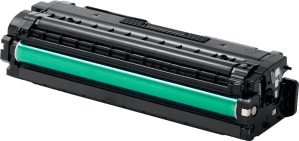
A toner cartridge holds the fine powder used to produce text and images. Unlike liquid ink, toner is transferred through an imaging process and fixed onto paper using heat and pressure. The cartridge, imaging drum and fuser perform distinct roles in producing each page.
Laser printer cartridges are designed for particular devices, not for every printer carrying the same brand name. The cartridge code identifies the consumable; the printer model identifies the machine. Keeping both details in your records makes conversations with suppliers more precise.
Product listings describe three supply categories:
These descriptions explain origin and manufacturing approach. They do not, by themselves, establish suitability, performance or support terms.
Express Computers supplies original options and compatible toner cartridges in the UAE, including its 4C range. Ask for specifications and support terms for the particular product.
Page yield estimates output under stated test conditions. A cartridge labelled for thousands of pages does not promise that total for every document. Actual output varies with document coverage, printing habits and the settings used on your device.
A brief invoice and a presentation with large coloured backgrounds place different demands on supplies. Print settings and job patterns also influence consumption.
Similarly, standard and high yield describe capacity options within a supported cartridge family. They are not universal size categories across brands. Higher yield indicates greater rated output, not automatically sharper text or colours.
Use the published figure to establish an initial expectation, then record actual output over several cartridges. This gives procurement a more useful forecast than relying on a single pack label.
Define what acceptable output looks like for each department. Finance may prioritise readable figures and consistent text. A training team may need clear diagrams, while customer proposals can require dependable colour reproduction.
Keep sample documents that represent those requirements. They give employees, IT staff and suppliers a shared reference when discussing print quality.
Look beyond the cartridge alone. Paper suitability, device settings and maintenance also affect results. A consumables plan works best when the printer, media and document requirements are considered together.
Assign responsibility for recording usage and coordinating replenishment. A simple register can connect each device with its location, cartridge code, current stock and usual delivery lead time.
For a business with an office in Dubai and a warehouse in Sharjah, record inventory separately rather than assuming supplies can always move between sites immediately.
Teams using several devices can consider managed print services to discuss monitoring and consumables coordination. Agree on the devices covered, reporting arrangements and replenishment responsibilities before starting.
Express Computers offers printer toner supply across the UAE for businesses managing individual devices or recurring requirements.
Share your printer list and typical documents so the discussion covers product suitability, available quantities and supply arrangements. Request clear information about delivery, warranty and support for the quoted items.
Connecting these details gives your team a practical basis for managing supplies as part of daily operations.
No. Some printers use separate toner and drum units, while others combine them in one assembly. Check the model’s consumables documentation because the two components perform different functions and may have different replacement schedules.
CMYK stands for cyan, magenta, yellow and black. Colour laser printers commonly combine these toner colours to reproduce text, photographs and graphics on a page.
Copying consumes toner because the machine produces a printed page. Scanning to a digital file does not require printing, unless you separately request a paper copy.
No. It reduces the sheets needed for a document, but both printed sides still require toner. Consumption depends on the content printed on each side.
Some printers collect surplus toner from the imaging process in a separate container. This is distinct from the fresh toner supply and must be handled according to the model’s instructions.
Discuss toner cartridges for business printing with Express Computers. Send your device models, locations and expected volumes to request relevant options and a quotation.