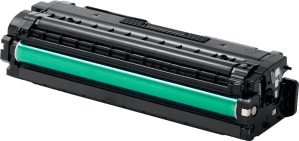

We are a one stop solution for all your printing requirements. We specialize in compatible toners and cartridges, as well as providing printer management solutions.


Printer ink cartridges are essential for everyday printing, but choosing, replacing and managing them can sometimes be confusing. Different printer models require different cartridges, businesses may need to choose between genuine and compatible ink, and printing problems can occur even after a new cartridge is installed.
For businesses operating several printers, managing ink cartridges becomes even more important. Incorrect cartridges can interrupt printing, while poor storage or unclear purchasing records can make consumable management unnecessarily complicated.
This FAQ answers common questions about printer ink cartridges, including compatibility, cartridge types, replacement, storage and troubleshooting.
Businesses looking for replacement supplies can explore Printer Ink Suppliers in the UAE for cartridges suited to different printer models and printing requirements.
Printer ink cartridges should always be selected according to the exact printer model and cartridge reference. Before buying, confirm compatibility, determine whether genuine or compatible ink suits your requirements and check the colour configuration.
For businesses managing several printers, keeping accurate cartridge records and storing replacement ink correctly can help prevent compatibility problems and unnecessary printing interruptions.
For a broader overview, read the Complete Guide to Buying Printer Ink Online in the UAE.
A printer ink cartridge is a replaceable component that contains the ink used by an inkjet printer to produce text, graphics and images.
Depending on the printer, cartridges may contain black ink, individual colours such as cyan, magenta and yellow, or several colours within one cartridge.
Each cartridge is designed for particular printer models, so compatibility should always be confirmed before installation.
Start by identifying the exact printer manufacturer and model number.
Then check the cartridge reference specified for that printer. You can usually find this information on the existing cartridge, within the printer documentation or through the printer manufacturer's specifications.
Avoid choosing a cartridge simply because it looks similar to the one currently installed.
Our guide on How to Choose the Right Printer Ink for Your Printer provides more detail on this process.
Yes. Different printers from the same manufacturer can require completely different cartridge families.
For example, two printers from the same brand may look similar but use different cartridge numbers or ink systems.
Always use the full printer model rather than only the manufacturer name when identifying replacement ink.
This becomes particularly important for businesses operating several devices from the same brand.
Genuine printer ink is supplied under the printer manufacturer's brand and designed for supported printer models.
Compatible printer ink is manufactured by a third party and designed to work with specified printers.
Both types need to match the exact printer model.
The appropriate choice depends on printer compatibility, document requirements and the organisation's preferred consumable approach.
For a detailed comparison, read Genuine vs Compatible Printer Ink: Which One Should You Choose?.
They can be suitable when the cartridge is designed for the exact printer and sourced from a reliable supplier.
Businesses should consider the type of documents being produced and the required print quality.
A cartridge used for routine internal paperwork may have different requirements from one used for colour presentations or customer-facing documents.
Compatibility and product reliability should therefore remain the main considerations.
There is no single cartridge that is best for every office.
The most suitable ink is one that matches the printer, provides reliable output and supports the documents normally produced by the business.
For administrative documents, businesses may prioritise clear text and consistent performance. For colour materials, output consistency is more important.
See Best Printer Ink for Business Printing for more detailed guidance.
Yes. Printer ink and cartridges can be purchased online in the UAE.
Before ordering, confirm the printer model, cartridge reference, colour and product compatibility.
Businesses purchasing for multiple devices should maintain accurate printer records to reduce the risk of ordering the wrong products.
Users can also Buy Printer Ink Online after confirming their printer requirements.
The most important information includes the exact printer model, cartridge reference, colour and compatibility.
You should also check whether the cartridge is genuine or compatible and whether it suits the type of documents normally produced.
For organisations with several printers, expected printing frequency and existing cartridge stock should also be considered before ordering.
The Printer Ink Buying Guide for Businesses covers these considerations in greater detail.
A printer may fail to recognise a cartridge if it is incompatible, incorrectly installed or not making the expected connection with the device.
First confirm the cartridge reference against the exact printer model.
Check that the cartridge has been installed correctly and that any protective material required to be removed before installation has been taken off.
If the problem continues, follow the relevant printer manufacturer's troubleshooting guidance.
Faded printing can occur when ink is running low, printer settings are set to a lighter printing mode or ink is not flowing correctly.
For inkjet devices, partially blocked print-head nozzles may also affect output.
Check ink levels and print-quality settings first. If appropriate for the printer, a nozzle check or manufacturer-recommended cleaning process may help identify the problem.
More troubleshooting guidance is available in Common Printer Ink Problems and How to Fix Them.
Missing colours can indicate that one cartridge is empty, low or not printing correctly.
If the printer uses separate cyan, magenta, yellow and black cartridges, check the status of each colour individually.
A nozzle check may also help determine if one colour channel is not printing correctly.
If a cartridge was replaced recently, confirm that it is correctly installed and compatible with the printer.
SometimOccasionallyinter may continue displaying a low-ink notification after a replacement has been installed.
First, check whether the printer recognises the cartridge and whether it can print normally.
Restarting the printer according to its normal procedure may allow cartridge information to update.
If the warning continues alongside printing problems, confirm cartridge compatibility and installation before taking further action.
Not always.
Poor print quality can have several causes besides an empty cartridge, including printer settings, blocked nozzles, incorrect installation or unsuitable paper.
Check ink levels and perform the appropriate printer diagnostics before replacing the cartridge.
If the cartridge is empty, faulty or no longer provides acceptable output after appropriate troubleshooting, replacement may then be necessary.
Unopened cartridges should generally remain in their original packaging until needed.
Store them in a clean and dry indoor location away from direct sunlight and excessive heat. Businesses should also keep cartridges clearly organised according to printer model, cartridge number and colour.
For more detailed guidance, read How to Store Printer Ink Cartridges Properly.
Yes. Keeping suitable replacement cartridges can be useful for frequently used printers.
However, businesses do not necessarily need large quantities of every cartridge type.
Stock levels should reflect actual printing usage. High-use shared printers may need replacement supplies readily available, while low-use devices may require less backup stock.
An organised approach helps avoid both shortages and unnecessary excess stock.
Storage life depends on the cartridge, manufacturer and storage conditions.
Businesses should check any dates or guidance provided with the specific product rather than assuming every cartridge has the same storage period.
Keeping cartridges unopened, protected from excessive heat and properly organised makes it easier to use older stock before recently purchased supplies.
Inkjet printing systems can experience ink-flow problems, particularly when printers remain unused for extended periods.
Unopened replacement cartridges should be stored according to the manufacturer's recommendations, while installed cartridges are generally best left in the printer during normal use unless manufacturer guidance says otherwise.
Regular appropriate printer use can also help maintain normal operation.
Ink usage depends on more than the number of pages printed.
Large graphics, high page coverage, colour-heavy documents and certain print-quality settings can increase ink consumption.
Printer maintenance functions such as cleaning cycles may also use ink.
Businesses should therefore compare cartridge use with actual printing patterns rather than assuming every cartridge should last for the same amount of time.
Yes, provided each cartridge is suitable for the printer involved.
Different departments can have different printing requirements.
An accounts team producing mainly text documents may have different priorities from a marketing department producing colour presentations.
Businesses can therefore select consumables according to each printer's role rather than applying the same cartridge strategy across every department.
Maintain a simple record containing each printer's manufacturer, exact model, cartridge number, colours and department or location.
This makes repeat purchasing easier and reduces confusion when you use several cartridge families.
Larger organisations may also incorporate consumable management into Printing Management Services for more structured oversight of printers, maintenance and supplies.
First confirm that the cartridge is correct for the printer and properly installed.
If the same cartridge continues producing recognition errors, poor print quality or other problems despite appropriate troubleshooting, stop repeatedly reinstalling it.
Review the product information and seek technical or supplier support where required.
If different cartridges produce the same problem, the printer itself may need further inspection.
Businesses can purchase cartridges through printer ink and consumable suppliers that clearly identify product specifications and supported printer models.
Accurate compatibility information is particularly important when purchasing for multiple devices.
Express Computers also provides options to Buy Printer Ink Cartridges Online in the UAE according to different printer requirements.
Printer ink cartridge management becomes much easier when businesses begin with accurate printer information.
The exact printer model, cartridge reference and colour requirements should always be confirmed before purchasing or installing replacement ink. Businesses should also consider whether genuine or compatible cartridges suit their requirements, how frequently each printer is used and how replacement stock is stored.
Common issues such as faded printing, missing colours and cartridge recognition errors do not always mean that a new cartridge is required. Compatibility, installation, printer settings and maintenance should first be checked.
For organisations operating several printers, keeping clear cartridge records and organising replacement supplies can reduce confusion and make everyday management of consumables more reliable.
Ultimately, choosing and managing printer ink successfully depends on matching the cartridge to the printer and the actual printing requirements of the business.