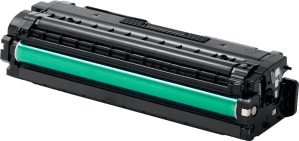

We are a one stop solution for all your printing requirements. We specialize in compatible toners and cartridges, as well as providing printer management solutions.


Choosing printer ink may appear straightforward, but using the wrong cartridge can lead to compatibility problems, poor print quality or unnecessary interruptions to everyday printing.
Printer manufacturers produce different cartridge series for different models, and even two printers from the same brand may require entirely different ink cartridges. Businesses managing several printers therefore need a reliable way to identify the correct ink before ordering replacements.
The right choice depends on your exact printer model, cartridge reference, document requirements, printing frequency and whether genuine or compatible ink is suitable for your needs.
Businesses looking for replacement supplies can explore Printer Ink Suppliers in the UAE for ink options suited to different printer models and business printing requirements.
To choose the right printer ink, first identify the exact printer brand and model. Then check the required cartridge number or code and confirm that the cartridge specifically lists your printer as compatible.
After confirming compatibility, consider whether you need genuine or compatible ink, how frequently the printer is used and what type of documents you normally print.
If you plan to purchase cartridges online, the Complete Guide to Buying Printer Ink Online in the UAE explains the wider buying process.
The printer model is the most important piece of information when selecting ink.
Knowing only the manufacturer is not enough. For example, two printers produced by the same brand can use entirely different cartridge families.
The exact model name or number can normally be found on the front or rear of the printer, on a label underneath the device or within the printer's settings.
Businesses should record this information for every device they operate.
This becomes especially important when different departments use printers from HP, Canon, Epson or other manufacturers.
Once the exact model is known, determining the correct cartridge becomes much easier.
Most printer cartridges have a specific reference number, model number or cartridge series.
If you are replacing an existing cartridge, inspect the label before disposing of it. The cartridge code can often provide a useful reference when ordering a replacement.
However, avoid choosing a new cartridge based only on appearance.
Cartridges can look similar while being designed for different printers. A visually similar product is not necessarily compatible with your device.
When browsing online, compare the cartridge reference with the specifications provided for your printer before placing an order.
Businesses can also Buy Printer Ink Online after confirming the required cartridge information.
Different printers use different ink arrangements.
Some devices use one black cartridge and one combined colour cartridge. Others use individual cartridges for cyan, magenta, yellow and black.
Certain printers may use additional colours depending on the type of printing they are designed to support.
Understanding your printer's configuration is important, as replacing the wrong cartridge will not resolve a low-ink warning for another colour.
Businesses operating colour printers should therefore know whether individual colours can be replaced separately or whether the device uses a combined cartridge system.
This information can usually be confirmed through the printer specifications or existing cartridges.
The right ink choice should also reflect how the printer is used.
A printer producing mainly invoices, internal reports, contracts and administrative paperwork may have different requirements from a printer producing customer presentations, marketing materials or colour graphics.
For everyday office documents, businesses generally prioritise reliable output and consistent availability.
For customer-facing or colour-sensitive materials, print consistency and colour requirements are more important.
Understanding the purpose of the printer helps determine the type of cartridge that best fits its workload.
Our guide to Choosing the Best Printer Ink for Business Printing looks at these business requirements in greater detail.
Once compatibility has been confirmed, another decision is whether to use genuine or compatible cartridges.
Genuine ink is supplied under the printer manufacturer's brand and designed for supported printer models.
Compatible ink is manufactured by a third party and designed to work with specified printers.
Both types require proper compatibility checks.
Businesses may choose genuine cartridges when they prefer manufacturer-branded supplies or when particular output requirements make them appropriate.
Quality-compatible cartridges can also be suitable for regular office printing when they are correctly matched to the printer and sourced from a reliable supplier.
There is no universal answer for every printer.
For a detailed comparison, read Genuine vs Compatible Printer Ink: Which One Should You Choose?.
Never assume a cartridge will work simply because it belongs to the same printer brand.
Before purchasing, confirm that the product description specifically identifies your printer model or the correct cartridge reference.
Incorrect cartridges can lead to problems such as:
Compatibility information should therefore be checked before every first-time cartridge purchase.
Once the correct cartridge has been identified, businesses can maintain a record for future repeat orders.
Users looking for wider cartridge options can also Buy Printer Ink Cartridges Online in the UAE according to their printer specifications.
How frequently you use a printer can influence consumable planning.
A heavily used office printer may require replacement cartridges regularly, while a device used only occasionally may consume ink much more slowly.
Businesses should understand which printers have the highest usage levels.
High-use devices may require replacement cartridges to be available before existing supplies are exhausted. Lower-use printers may not require the same level of backup stock.
This is particularly important for organisations where certain printers support essential workflows.
An accounts department, reception area or administrative office may depend much more heavily on printing than another department.
Consumable planning should therefore reflect actual usage rather than treating every printer equally.
Businesses should also consider whether colour printing is genuinely required for a particular device.
Many office documents such as reports, invoices, internal forms and contracts may primarily use black ink.
Other departments may rely more heavily on colour output for presentations, charts, brochures or customer-facing documents.
Understanding these differences can help businesses allocate suitable cartridges and printers to different teams.
It can also prevent situations where a colour printer handles large quantities of documents that do not actually require colour output.
The aim is not to restrict printing but to match printer and ink requirements with the documents being produced.
Printer ink should be purchased from a supplier that clearly identifies the product being offered.
Before ordering, search for information such as the cartridge reference, compatible printer models, cartridge colour and whether the product is genuine or compatible.
Clear product information reduces the likelihood of accidental purchases.
This becomes particularly important for businesses ordering cartridges for several printer models at the same time.
Express Computers also provides options for businesses looking to Buy Printer Cartridges according to their equipment requirements.
A consistent supplier can also make repeat purchasing easier when the organisation already knows which cartridges are compatible with its devices.
Businesses operating several printers should avoid treating cartridge purchasing as a series of unrelated orders.
A simple internal record can make consumable management much easier.
For each printer, record the manufacturer, exact model, cartridge reference, required colours and location or department.
This allows employees responsible for purchasing to identify the correct product without repeatedly checking every printer.
As the number of devices increases, consumable management can also become part of a wider printer-management process.
Organisations managing a larger fleet can explore Printing Management Services to coordinate printers, maintenance and related supplies more systematically.
Choosing the right cartridge is only part of the process. Replacement ink should also be stored appropriately until it is needed.
Keep cartridges sealed in their original packaging and avoid exposing them to excessive heat or direct sunlight.
Businesses storing multiple cartridges should also clearly organise them by printer or cartridge reference.
This reduces the risk of employees opening the wrong product when a replacement is required.
For more detailed guidance, see How to Store Printer Ink Cartridges Properly.
Even a correctly selected cartridge can occasionally be associated with printing problems after installation.
If this happens, first check that the cartridge is properly fitted and that all protective packaging has been removed.
If the printer does not recognise the cartridge, check the exact model compatibility again.
For faded output or missing colours, the printer's maintenance functions may help depending on the device. Print-head cleaning or alignment may be relevant for some inkjet printers.
Persistent problems should be investigated rather than repeatedly reinstalling the cartridge.
Our guide to Common Printer Ink Problems and How to Fix Them covers typical issues in greater detail.
Check the exact printer model and identify the cartridge number recommended for that device. The existing cartridge label and printer specifications can also help confirm the required replacement.
Yes. Printers from the same manufacturer can use different cartridge families, so the exact printer model and cartridge reference should always be checked.
Compatible ink can be suitable for business printing when the cartridge is specifically designed for the printer and comes from a reliable supplier. Required print quality and document type should also be considered.
Keeping suitable replacement cartridges can be useful for frequently used printers. Avoid excessive stock and store unopened cartridges correctly until they are required.
Possible reasons include incorrect compatibility, incomplete installation or protective material remaining on the cartridge. Confirm the cartridge model and installation instructions before troubleshooting further.
Yes. Before ordering online, confirm the printer model, cartridge code, colour requirements and compatibility information to reduce the risk of purchasing the wrong product.
Choosing the right printer ink starts with accurate information about the printer itself.
The exact model, cartridge reference and ink configuration should always be confirmed before considering other factors such as genuine versus compatible cartridges, document requirements and printing frequency.
For businesses managing multiple printers, maintaining clear cartridge records and planning replacement supplies can make consumable purchasing considerably easier.
The most suitable printer ink is not simply the most familiar cartridge or the one that looks similar to the existing product. It is the cartridge that correctly matches the printer and supports the type of printing the organisation requires.
Taking a structured approach to cartridge selection helps maintain reliable printing, reduce compatibility problems and simplify ongoing printer ink management across the business.